
How to manage your marketing budget with virtual cards by channel.
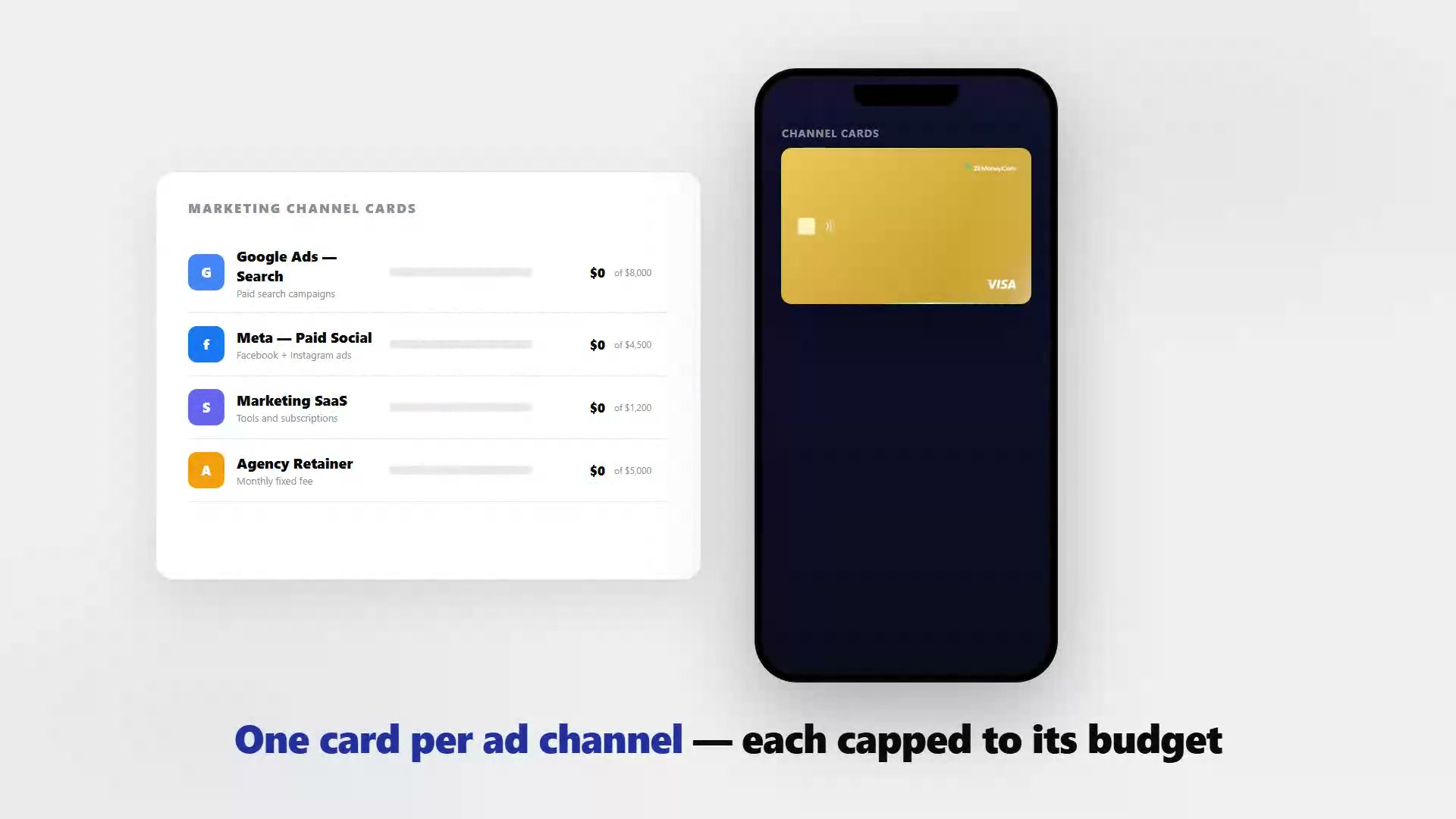
The moment you run ads on three platforms, pay four SaaS tools, and wire a monthly retainer to an agency from one card, the month-end report becomes a sorting exercise. A separate virtual card per channel stops that: each charge lands in the right bucket automatically, the dashboard shows you pacing in real time, and the export at month-end is already organized by channel without any manual work.
VirtualCardMaker.com, powered by Zil Money, is a financial technology company, not a bank. Banking and money movement services are provided through partner financial institutions and licensed service providers. FDIC insurance coverage applies only to eligible deposit products and accounts, and is subject to applicable terms, conditions, limitations, and requirements. Additional information regarding partner institutions, products, and services is available in the applicable terms and agreements.









Read summarized version with:
The old way is a single corporate card used for everything: Google Ads auto-bills it, Meta auto-bills it, Mailchimp auto-bills it, and the agency invoice hits it too. At month-end you open the statement and manually sort 40 charges across eight channels into a spreadsheet so you can see how much each channel actually spent. One card per channel flips this: the sorting happens at the moment of charge, not after the month closes.
Here is how to restructure your marketing payment setup so the budget report practically builds itself.
Map your spend categories before you issue cards
Before creating any cards, write down every recurring marketing expense and group them into categories. This list becomes your card structure. Most marketing budgets fall into four to six groups:
| Spend category | Example vendors | Card name suggestion |
|---|---|---|
| Search advertising | Google Ads, Microsoft Ads | Paid Search — [Month/Quarter] |
| Social advertising | Meta, LinkedIn, TikTok | Paid Social — [Platform] |
| Marketing tools | HubSpot, Mailchimp, Semrush | Marketing SaaS |
| Agency or freelancer | Creative agency, SEO firm | [Agency Name] Retainer |
| Content production | Designers, video editors | Content Production |
| Events and sponsorships | Conferences, webinar tools | Events — [Year] |
If a category has only one or two small charges per month, combining it with a related category is fine. The goal is clean separation, not maximum cards.
Set card limits to match budget allocation, not guess-work
Each card's limit should match that channel's monthly budget allocation. If Google Ads gets $8,000 a month, the Google Ads card has an $8,000 limit. When the ad platform tries to charge $8,200 because a campaign day ran heavy, the charge is declined — giving you a real-time signal that a channel is overpacing before any money you did not authorize leaves your account.
This is fundamentally different from reviewing a statement after the month ends and discovering you spent $2,000 more than planned on a channel that underperformed.
Ad platforms pause campaigns when payment fails. If a card limit is hit mid-month and the charge declines, the ad platform will likely pause campaigns and send a payment failure notification. Build in a small buffer — or monitor the dashboard weekly — so a legitimate campaign does not go dark because the limit was set exactly at the usual spend.
Add the right card to each platform
Once cards are created, log into each ad platform or vendor portal and update the payment method:
- Open the billing or payment settings in the platform.
- Add the new virtual card as a payment method.
- Set it as the default or primary billing card.
- Remove your previous card if it is no longer the correct card for that platform.
Ad platforms like Google Ads and Meta charge automatically on their billing cycle, so once the right card is set as the payment method, all future charges land on the correct card without any ongoing action from you.
Giving agencies and freelancers their own card
The alternative to waiting for an invoice is issuing the agency a virtual card capped to the retainer amount. They charge the card when they would normally invoice, you see the charge in the dashboard the same day, and the retainer amount is the card's hard ceiling so they cannot charge beyond what was authorized.
This works particularly well for:
- Monthly retainers where the amount is fixed
- Freelancers with a per-project rate you want to enforce exactly
- Media buyers who need to spend a set amount across platforms and you want visibility without receiving a media bill at month-end
Before: one card, manual sorting
- One corporate Visa used for all marketing: Google Ads, LinkedIn, HubSpot, Semrush, design agency, PR firm.
- Finance asked for a channel-by-channel breakdown every month. Dana spent 3-4 hours sorting the statement into a spreadsheet.
- A Google Ads campaign day ran over by $900 one quarter. It only appeared at month-end when reconciling the statement.
After: one card per channel
- Six virtual cards: Google Ads Search, LinkedIn Sponsored, Marketing SaaS, Design Agency, PR Agency, Events.
- Each platform billed to its own card, each capped to the quarterly allocation divided by three.
- Dashboard shows pacing mid-month. When Google Ads hit 85% of the limit with 10 days left in the month, Dana paused one underperforming campaign.
- Month-end report: export CSV, cards already map to the P&L lines. Done in 20 minutes instead of four hours.
Month-end reporting with channel cards
When the month closes, export the transaction data from the dashboard. Because card names match your budget categories, the CSV already groups charges the way you need them:
- Filter by "Google Ads Search" to see total paid search spend
- Filter by "Paid Social" or individual platform cards to see social advertising cost
- Sum the SaaS tools card to report total marketing technology cost
If your bookkeeper or finance team needs this data, they can run the export themselves. The card names are the only context they need to understand the categorization.
Frequently asked questions
Can I use one virtual card for all my marketing spend?
What happens if an ad platform charges more than the card limit?
Can I give an agency or freelancer their own card?
How do I handle variable ad spend that changes month to month?
What if a marketing tool charges in a foreign currency?
Can I cancel a marketing card without cancelling my ad accounts?
Issue a card with these rules on it.
Set the limit, restrict the merchant, choose the active window, and send the card. Every charge lands in one dashboard, already attributed.
Build one in Card StudioNext, on the same problem.
- Marketing and ad spend
How a virtual card for ad spend works
A shared card and a virtual card look the same on an invoice, right up until a bidding algorithm or a compromised login tries to spend past what you planned. This is a look inside the mechanics: the hard cap set at creation, the optional locks you can stack on top, and what actually happens the moment a charge tries to cross the line.
July 23, 2026 · 8 min read - Marketing and ad spend
How to control ad spend with a virtual card.
Ad platforms charge whatever your campaigns spent, after the fact. Give each ad account its own virtual Visa capped at its monthly budget, so a runaway campaign hits the card's limit instead of the card you use for everything. Here is the full step-by-step for marketers and agencies.
May 28, 2026 · 8 min read - Marketing and ad spend
Choose your virtual card for ad spend before you launch a campaign
Before you ever watch a dashboard or raise a limit, you make one decision: what boundary a card represents, how big its cap should be, and who holds it. Get that right and the day-to-day management most guides cover becomes easy. Get it wrong and you are reissuing cards every time a campaign changes shape.
July 7, 2026 · 9 min read
The next vendor gets its own Visa card.
Not the shared one. Its own number, its own ceiling, its own line in the ledger.