
Virtual cards for online sellers: a card per channel.
Running Meta ads, a supplier order, your Shopify apps, and your VA's buys off one card means a single decline or one flagged number can freeze everything at once. Issue a separate wallet-funded virtual Visa for each ad platform, each supplier, and each store, give every card its own spend cap, and lock or cancel any one without touching the rest. Now one channel's problem stays inside that channel, and each store's spend stays pre-sorted for the books.









One card behind every channel is one point of failure behind the whole business.
Everything runs fine on one card right up until it does not, and when it breaks, it breaks all at once.
- A decline mid-campaign stops the ads. The card is declined and every campaign on every platform stops delivering together.
- A flagged ad account ties up the card. One platform’s fraud system flags the number and the rest of the operation goes with it.
- Ad spend, inventory, apps, and your VA all ride the same number. Meta, Google, TikTok, an overseas supplier order, your Shopify apps, your assistant’s buys — one card, one blast radius.
- A leak means re-entering the card everywhere. Reissuing one shared number and updating it on every platform is the half-day of re-entry sellers dread.
- Store spend arrives unsorted. With everything on one account, each store and channel has to be separated before the books close.
A separate card per channel, per supplier, and per ad account.
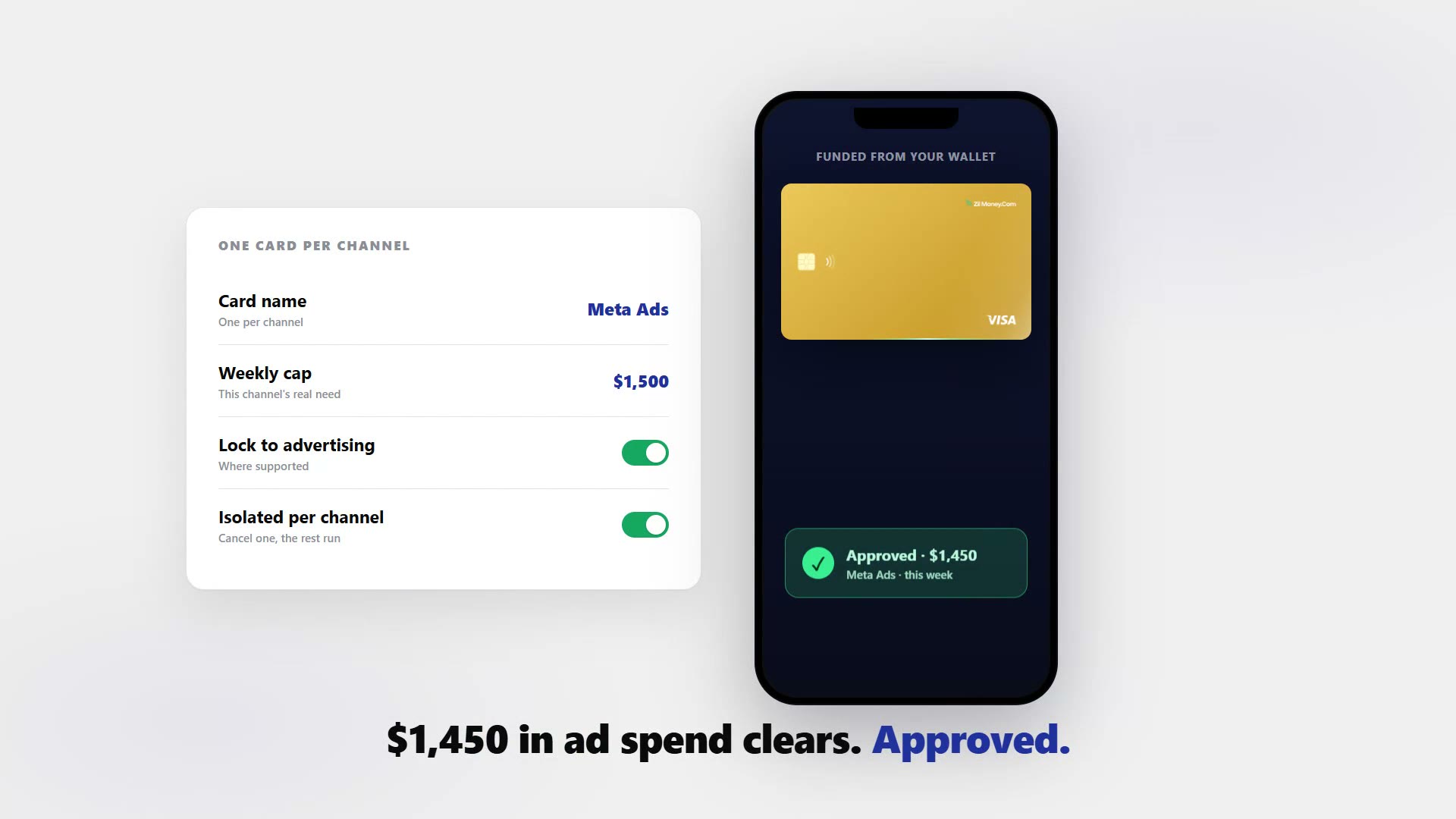
Issue a wallet-funded virtual Visa for each ad platform, each supplier, and each store, and lock or cancel any one without touching the rest.
- One channel's problem stays inside that channel. When Meta, your supplier, and your VA each have their own card, a decline or a flagged number on one cannot stall the rest of the business.
- A cap sized to that channel’s real need. The cap is the control that always holds, and the damage is always bounded to one card.
- Cancel one card, keep the rest running. When an account is flagged or a number leaks, cancel that card. Every other card keeps working and you do not re-enter cards everywhere.
- A card for your VA. Give an assistant a capped card of their own rather than exposing your main account number.
- No credit check, wallet-funded. Spend is limited to what you load, with no personal bank link.
- Pre-sorted for the books. Because each charge sits on its own card, every store and channel reconciles cleanly. Still deciding? Start with the broader virtual cards for e-commerce hub.
Every channel on its own card, in one dashboard.
Watch each charge land against the channel, supplier, or store it belongs to. Issue, freeze, top up, or close any card from the same screen. For paying suppliers specifically, see vendor virtual cards.

Live dashboard
Active cards, spend by channel and supplier, declined attempts, every charge as it happens.

Issue a channel card
Pick the card type, set the cap to that channel's need, choose virtual or physical, add it to the platform.
What you can set on every channel card.
ControlWhat you setWhy it matters
Spend limit
That channel's real needThe damage from a compromised or runaway card is bounded to one card.
Store categories
Merchant, category, or location lock, where supportedThe number is hard to reuse outside the channel it was issued for.
Time window
Start and end datesA trial supplier or a seasonal campaign card stops on its own.
Cardholder name
Channel, supplier, or storeEach store and channel reconciles cleanly, pre-sorted for the books.
One-time or reusable
ToggleA single supplier order or an always-on ad account.
Three ways multi-channel sellers use virtual cards.
- A card per ad account
Do not run one card across every ad account. Issue one per platform so a number flagged on Meta never touches TikTok or Google.
- Overseas supplier / per order
Pay an inventory order behind its own capped card, so a supplier problem is contained to that order rather than the whole operation. The same reasoning covers buying from a site you have never used before.
- VA card / capped and separate
Give an assistant a dedicated wallet-funded card. Your primary number is never exposed and their buys stay separate in the books.
Three mistakes to avoid. Do not cap at the whole budget instead of per channel — a single $6,000 cap lets any one channel or a compromised card drain the lot. Do not mix personal or main-account cards into store spend; it blurs the books and exposes your primary number. And do not assume cancelling claws back a pending authorization: it stays in flight and still settles against the cap, so reconcile against settled activity before treating a card as closed.
Common questions.
Do ad platforms accept these cards?
They are virtual Visa cards, so they work where Visa is accepted. Acceptance on any specific ad platform depends on that merchant and the network. Issue a separate card per ad account so one flagged platform does not affect the others.
Can I pay overseas suppliers with one?
Yes, where the supplier accepts Visa. Acceptance and usability depend on the merchant and network, and any currency conversion is handled by them, so specific FX outcomes are not guaranteed. Use a per-supplier card with a cap matching the order.
Can I give my VA a card without exposing my main account?
Yes. Issue a dedicated card with its own spend cap, locked to the categories they buy in where supported. They never see or touch your wallet or other cards. Cancel that one card anytime without affecting the rest.
Is there a credit check or cost to hold a card?
No credit check. Cards are wallet-funded, so spending is limited to what you load, with no personal bank link required.
Can I issue many cards at once?
Yes. Create cards in bulk from an Excel file or through the API, so per-store, per-supplier, or per-VA cards can be set up together rather than one at a time.
What if a card is flagged or a number leaks?
Cancel that card to stop new charges; pending authorizations still settle and count against its cap. Because each channel has its own card, the rest keep running and you do not re-enter cards everywhere.
Related setups.
- Industries
Virtual cards for logistics companies, one card per driver.
Petty cash and shared cards are how fuel receipts go missing and mileage claims get inflated. Issue each driver a wallet-funded virtual Visa, cap it to the daily or weekly fuel bud
4 min read - Industries
Virtual cards for construction: per-job and per-crew spend control.
Give every job, foreman, and supplier its own capped virtual Visa card. Material and tool spend maps to the right project, a charge over budget is declined, and a card closes the m
4 min read - Industries
Virtual Cards for Marketing Teams: Per-Campaign Spend Control
Issue a dedicated virtual card per campaign or ad channel. Set a hard spending cap, lock the card to specific ad platforms where supported, and close any card the moment a campaign
5 min read
Issue the first one this afternoon.
Online sellers take about a minute each: pick the type, set the limit, add the restrictions, send it.