
Virtual cards for investment and advisory firms: a card for every purpose.
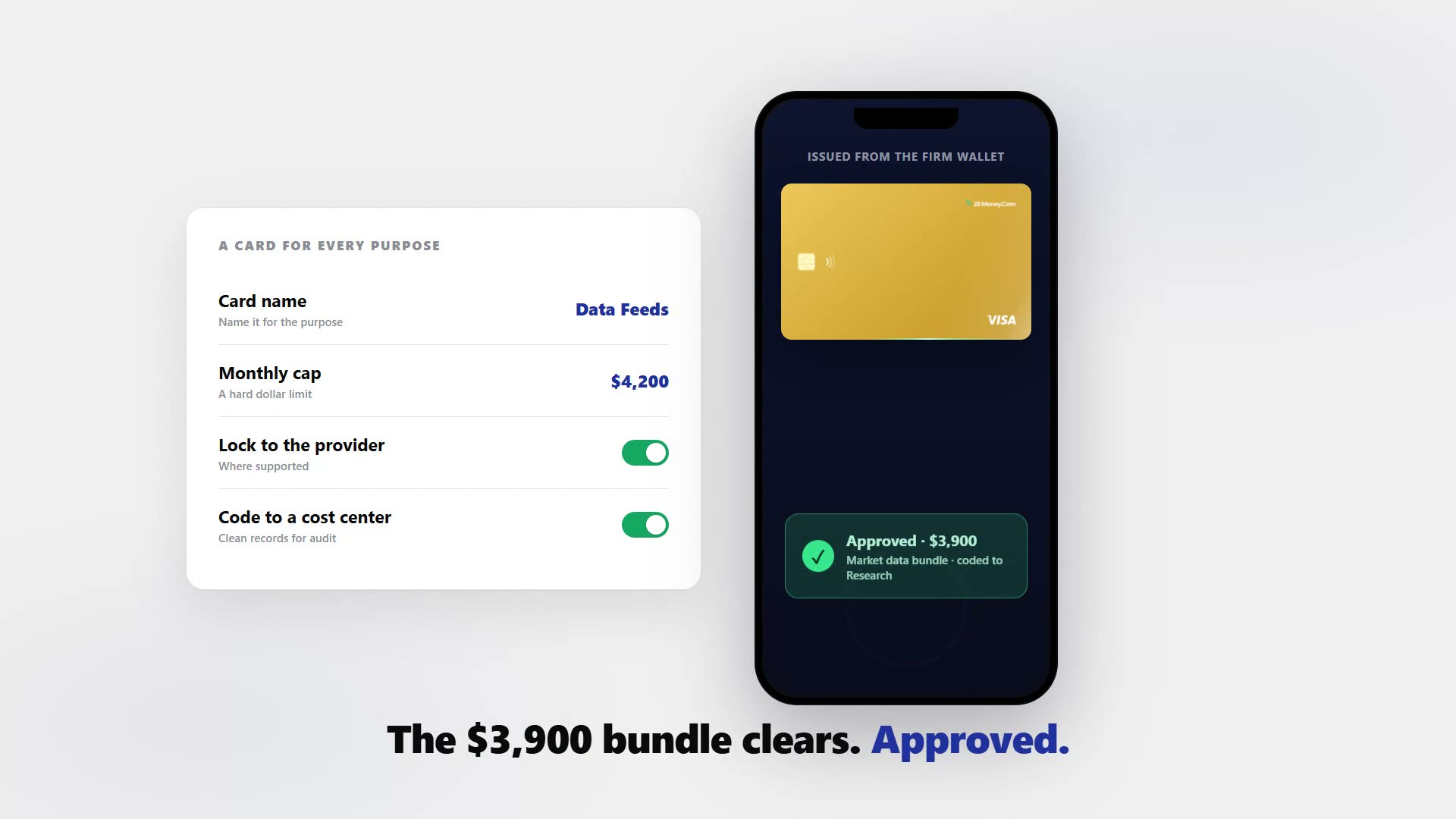
Stop running Bloomberg seats, research tools, advisor travel, and the odd client seminar on one shared corporate card where you lose the trail of who spent what. Issue a wallet-funded virtual Visa for each subscription, advisor, or purpose, set a hard dollar cap on each, and lock it to a merchant or category where supported. Every charge carries the card name, so allocating costs by fund, client, or cost center and producing clean records for your audit is straightforward. This is for your firm's own operating expenses only, not client funds or securities.









The month-end pain is not the trades. It is the running cost of the firm.
Data feeds, research subscriptions, the advisor who flew to two prospect meetings, the seminar you put on last quarter — all on one shared corporate card.
- You lose the trail of who spent what and why. Bloomberg, FactSet, or Morningstar seats, research tools, advisor travel, and client seminars all land together.
- You find out after the money is gone. A shared card reports rather than controls, so the number arrives too late to act on.
- Cost center coding becomes a nightmare you postpone. Splitting one statement by fund, client, or cost center is a job that waits until the auditor asks.
- A renewal you forgot about goes through. Nothing caps a subscription, so a surprise add-on seat clears quietly.
- Receipts are chased, not captured. Advisors are asked for documentation weeks after the spend rather than at the moment of it.
A card for every subscription, advisor, and purpose, each with a hard cap.
Issue a wallet-funded virtual Visa per subscription, advisor, or purpose, set a hard dollar cap on each, and lock it to a merchant or category where supported.
- A hard dollar cap per card. A renewal you forgot about cannot quietly exceed what you budgeted, and the surprise add-on seat is declined.
- Every charge tagged with the card name. You code it to the fund, client, or cost center at reconciliation, with no statement-splitting.
- Live receipts as charges hit. Clean records for the examiner, without chasing advisors after the fact.
- Merchant and category locks where supported. A second layer on top of the cap for a subscription or a single vendor.
- No credit check, no personal bank link. Cards are funded from the firm’s wallet and issued one at a time, in bulk from a spreadsheet, or through the API.
- A narrow, useful lane. This is the operating-expense companion to virtual cards for accountants, and it covers department spending and recurring subscriptions the same way.
Each operating cost in its own capped, named lane.
Watch each charge land against the subscription, advisor, or purpose it belongs to, with the receipt attached. Issue, freeze, top up, or close any card from the same screen. For firms at an earlier stage, see virtual cards for a growing small business.

Live dashboard
Active cards, spend by subscription, advisor, and cost center, declined attempts, every charge as it happens.

Issue a purpose card
Pick the card type, size the cap before you commit, choose virtual or physical, name it for the cost center.
What you can set on every firm card.
ControlWhat you setWhy it matters
Spend limit
A hard dollar cap per subscription, advisor, or purposeA forgotten renewal or a surprise add-on seat is declined.
Store categories
Merchant, category, location, or time lock, where supportedA second layer on top of the cap, with the cap as the hard backstop.
Time window
Start and end dates of the engagement or eventA seminar card stops when the event does.
Cardholder name
Subscription, advisor, or cost centerEvery charge is tagged for allocation by fund, client, or cost center.
One-time or reusable
ToggleA single client event or a standing market-data seat.
Three ways advisory firms use virtual cards.
- Market data / per seat
A card per Bloomberg, FactSet, or Morningstar seat, capped to the contracted amount, so an add-on seat nobody approved is declined.
- Advisor travel / per person
A capped card per advisor for prospect meetings and entertainment, with receipts captured as the charges hit.
- Client seminar / one event
A card for the event with a deposit-sized cap and an end date, closed once the seminar is settled.
Three things to be plain about. These cards are for the firm’s own operating expenses — subscriptions, travel and entertainment, events, marketing, and software — and never for client funds, client assets, securities, or trading; keep that line clean so both the control and the record stay intact. The dollar cap is deterministic and always holds, while merchant, category, location, and time locks work where the network supports them, so use them as a second layer. And cancelling stops new charges but does not reverse a pending authorization, which still settles and still counts against the cap.
Common questions.
Does issuing these cards require a credit check?
No. Virtual cards are funded from your firm's Zil Money wallet, so there is no credit check and no link to a personal bank account. You load the wallet and issue cards against that balance.
Can I allocate spend per client or per fund?
Yes. Each card carries its own name, so every charge is already tagged. You code it to the fund, client, or cost center at reconciliation and export clean records, with no statement-splitting.
Will this give me records for an audit?
Each card produces live receipts and a per-card charge history you can export. That gives your compliance and audit files a clear trail of what was spent, on which card, for which purpose.
What does it cost?
Cards are wallet-funded with no credit check. You fund the wallet and issue cards against it inside the Zil Money platform; see current pricing on the site.
Can I issue cards for multiple advisors at once?
Yes. You can create cards in bulk from an Excel upload or via API, each with its own spend cap, so every advisor or seat gets a separate card without manual one-by-one setup.
What controls can I set on each card?
A hard dollar spend cap (deterministic), plus merchant, category, location, and time locks where the network supports them. The card can be emailed or added to a wallet for use.
Related setups.
- Industries
Virtual cards for real estate: one card per property, every dollar tracked.
A contractor who has your business card number can keep charging after the job ends. A contractor who has a virtual card capped to the renovation budget cannot. Virtual cards for r
6 min read - Industries
Virtual cards for law firms
A virtual card for a law firm is a prepaid Visa card scoped to one matter or attorney, with a set budget and vendor locks. Give each matter its own card. Set the budget. Lock it to
5 min read - Industries
Virtual cards for restaurants: control every supplier and shift.
Put each food supplier, delivery platform, and manager on its own capped virtual Visa card. Spend is controlled per vendor, a charge over the cap is declined, and every order ties
5 min read
Issue the first one this afternoon.
Investment and advisory firms take about a minute each: pick the type, set the limit, add the restrictions, send it.