
Virtual cards for trucking and owner-operators
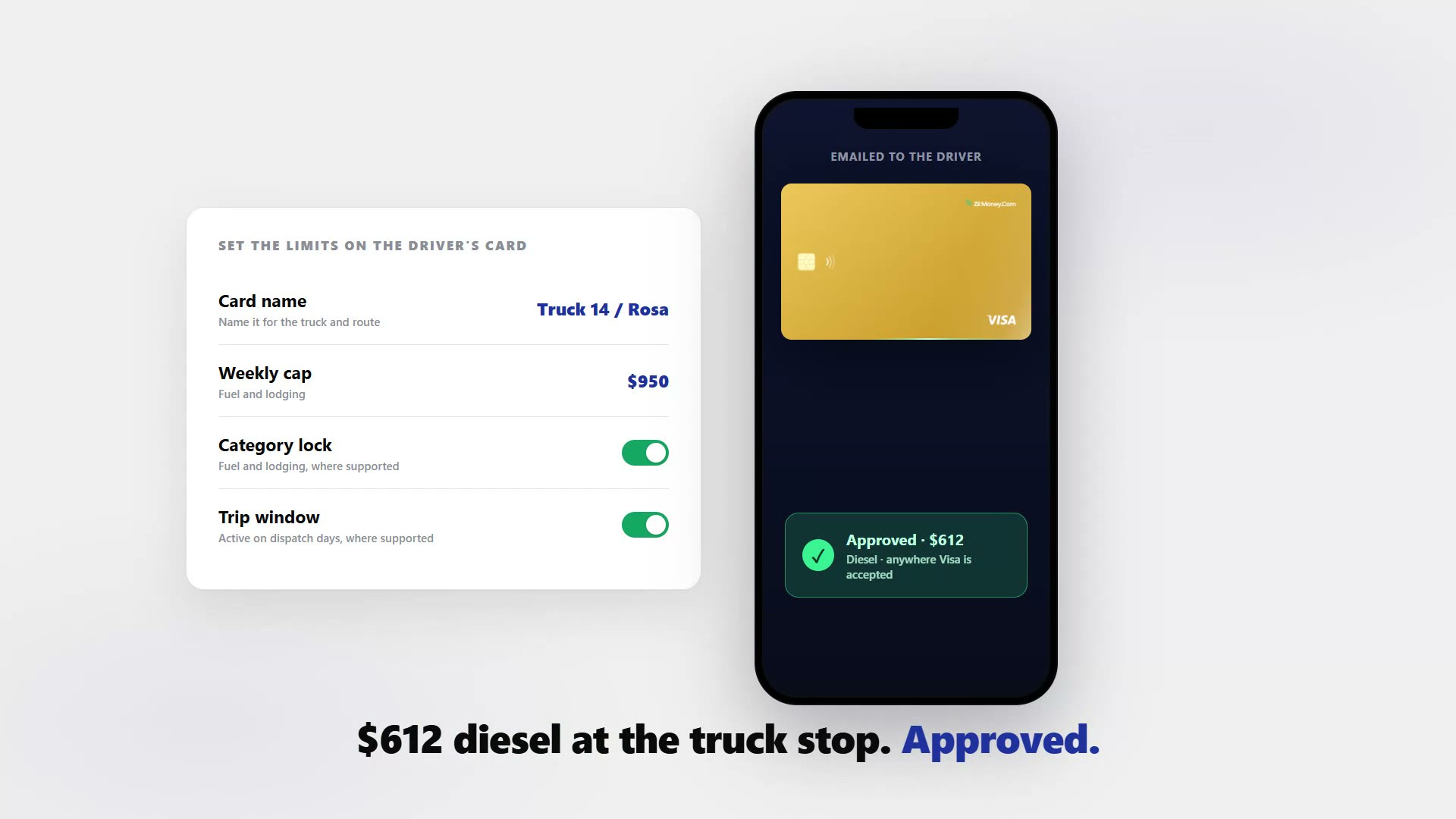
Whether you run one truck or a fleet, you can give every driver a virtual Visa card with a hard dollar cap, locked to fuel and lodging where supported, so a card can only spend what you allow. If one is skimmed, freeze it yourself from the dashboard. It works anywhere Visa is accepted, with no credit check and no personal bank link for the driver. Here is how the card runs, what you can lock down, and the honest truth about truck stops.









Ask most carriers what keeps them up at night and it is the fuel card.
The card that was supposed to make fueling easy turned into the leak.
- Someone gets the number and writes against it. A shared fuel card has no ceiling per driver and no way to tell who spent what.
- A cash advance nobody approved. The card allows it, so it happens, and you find out on the statement.
- A new hire cannot get a card at all. A brand-new authority with no business credit gets denied, or gets a smaller line, a personal guarantee, or a deposit request.
- So the driver fronts their own money. They fuel up on personal cash and grumble, and you owe them.
- Receipts and per-state mileage pile up. Every quarter the paper for IFTA has to be reassembled from a shoebox of faded slips.
A card per driver, capped to fuel and lodging, with a freeze button you hold.
Create a separate virtual Visa per driver, set a hard dollar cap, and apply fuel and lodging, merchant, location, and time controls where supported.
- The cap is hard. A charge over the limit is declined, so a skimmer or a runaway advance can never reach more than that one card’s room.
- Locked to fuel and lodging. Off-list buys decline where the controls are supported, so the card stays on what the run needs.
- You freeze it yourself. Skimmed or misused? Freeze or cancel from the dashboard instead of waiting on a call center. Leftover funds return to your wallet.
- No credit check for the driver. Cards are wallet-funded, so a new hire with no business credit gets a working card with no personal guarantee, deposit, or personal bank link. Standard identity verification still applies to the business owner who opens the account.
- It can only spend what is funded. A charge is checked against both the card’s cap and your available wallet balance.
- Works anywhere Visa is accepted. It loads into Apple Wallet and Google Wallet for tap to pay. Running a larger fleet with shared or admin spend? See virtual cards for fleet expenses.
Four steps from your wallet to a card behind every truck.
- 01
Fund your wallet.
Load the week’s fuel and lodging budget. No credit check, no personal bank link for the driver.
- 02
Make a card per driver.
Name it for the truck and route, and set the hard cap — fuel plus lodging per week, for example.
- 03
Lock the spend.
Restrict it to fuel and lodging, and add merchant, location, or time controls where supported. Then email the card to the driver to load into a phone wallet.
- 04
Track and freeze.
Watch every charge mapped to one driver and truck, with receipts attached. If a card looks skimmed, freeze it, cancel it, and issue a fresh one in minutes.
See per-driver and per-truck spend without chasing paper.
Name a card “Truck 14 / Rosa Iglesias” and the charge history is that driver’s record by the time you look at it. The pump running out of receipt paper does not sink you, because the transaction is already in the dashboard tied to the right card. Bulk-issue from an Excel upload for a multi-truck operation.

Live dashboard
Active cards, total spend by driver and truck, declined attempts, every charge as it posts.

Issue a driver card
Pick the card type, set the weekly fuel and lodging cap, choose virtual or physical, email it to the driver.
What you can set on every driver card.
ControlWhat you setWhy it matters
Spend limit
A hard weekly or per-trip capA charge over the limit is declined, so one card is the most anything can reach.
Store categories
Fuel and lodging, where supportedOff-list spending is declined based on supported controls.
Time window
Active during the dispatch days and hours, where supportedThe card is live for the run rather than sitting open all week.
Cardholder name
Truck and driver nameEvery charge maps to one driver and truck on its own.
One-time or reusable
ToggleSingle-use for an unknown vendor, reloadable for ongoing fuel and lodging.
Three ways carriers use virtual cards.
- Reloadable / weekly fuel and lodging
Set a weekly cap covering fuel plus lodging for the lane and top it up each week. The driver keeps the same card and you adjust the ceiling as routes change.
- Single-use / an unknown vendor
A roadside repair, a scale or permit fee, a one-off supplier you do not know. Issue a single-use card sized to that job, and it cannot be reused once it is done.
- Skimmed card / freeze and reissue
Freeze the card from the dashboard, cancel it, and the leftover money comes back to your wallet. A fresh card goes out in minutes.
Three honest notes. At chains like Pilot, Flying J, and Love’s truck lanes, a regular card may require prepaying inside or starting the pump from the chain’s app, because those lanes run on proprietary fuel-card networks — this is not a discount fuel-network card, it is a broadly accepted Visa you control. Cancelling stops new charges but a pending charge can still settle and count against the cap. And per-card reports help you organize fuel spend for IFTA, but the tool does not file IFTA or calculate your tax; confirm your filing with your accountant.
Common questions.
Does it work at truck stops?
Yes, anywhere Visa is accepted, and it loads into Apple Wallet and Google Wallet for tap-to-pay where supported. One honest note: at some big diesel lanes, like Pilot, Flying J, and Love's truck lanes, a regular card may require prepaying inside or starting the pump from the chain's app, because those lanes run on proprietary fuel-card networks. This is not a discount fuel-network card. It is a broadly accepted Visa card you control.
Do drivers need a credit check or a personal bank?
No. Cards are wallet-funded, with no credit check and no personal bank link for the driver. You fund the wallet and the driver gets a working card. That sidesteps the credit gating, low limits, and denials new owner-operators often hit with traditional fuel cards.
A card got skimmed, how fast can I shut it off?
You freeze or cancel the card from the dashboard yourself, instead of waiting on a call center. Leftover funds on a cancelled card return to your wallet, and you can issue a replacement in minutes. The hard cap also limits the most that could ever be charged before you act.
Can I lock a card to fuel and lodging but block everything else?
Yes, where those controls are supported. Lock the card to fuel and lodging so off-list buys decline, and add merchant, location, and time controls. The dollar cap is always enforced, so a charge over the limit is declined.
Will this handle my IFTA fuel tax?
Per-card reports give you a clean, itemized record of fuel spend by card and driver, which helps you organize the data that IFTA recordkeeping needs, filed quarterly across the contiguous US states and participating provinces. It is an organizational aid. It does not file IFTA or calculate tax, so confirm your IFTA filing with your accountant.
Related setups.
- Industries
Virtual cards for field service businesses
Run HVAC, plumbing, or electrical and tired of techs fronting cash, sharing one company card, and chasing receipts? A virtual card for a field service business is a prepaid Visa ca
5 min read - Industries
Virtual cards for franchises
A virtual card for a franchise is a prepaid Visa card scoped to one location or unit, with a monthly budget and vendor locks. Give every unit manager its own card with a set budget
4 min read - Industries
Virtual cards for import and export businesses, one card per order.
Paying international suppliers by wire means sharing your real bank details with every vendor, on every transaction, with no way to recover if the payment goes wrong. Issue a walle
5 min read
Issue the first one this afternoon.
Trucking and owner-operators take about a minute each: pick the type, set the limit, add the restrictions, send it.