
The virtual card API for business, built to issue cards programmatically.
Stop creating cards one at a time in the dashboard. The Virtual Card Maker API lets your own system call a single endpoint to issue a capped, locked virtual Visa card the moment a new vendor, contractor, or record shows up, with no one logging in to fill out a form. Set the spend cap, a merchant or category lock where supported, and an expiration in the same request, and let your integration handle the issuing while your team reviews every card, API-issued or not, from the same dashboard.
VirtualCardMaker.com, powered by Zil Money, is a financial technology company, not a bank. Banking and money movement services are provided through partner financial institutions and licensed service providers. FDIC insurance coverage applies only to eligible deposit products and accounts, and is subject to applicable terms, conditions, limitations, and requirements. Additional information regarding partner institutions, products, and services is available in the applicable terms and agreements.









Read summarized version with:
A virtual card API for business lets your software issue a capped, locked virtual Visa card by sending one request, instead of a person filling out a form for every new vendor. Set the amount, an optional merchant or category lock, and an expiration in that same call, and the card is ready to send.
If your team already builds internal tools, the question is rarely whether Virtual Card Maker can issue a card. It can, from the dashboard, in a couple of clicks. Virtual Card Maker cards are wallet-funded, with no credit check required, whether you issue them by hand, from a spreadsheet, or through this API. The real question is whether that issuing logic can live inside your own system, so a card gets created because your code decided it should. This guide covers what a typical request and response look like, when the API beats a spreadsheet upload, and where it sits next to the dashboard. For the authoritative endpoint list, authentication, and SDKs, see the API documentation.
How the virtual card API actually works
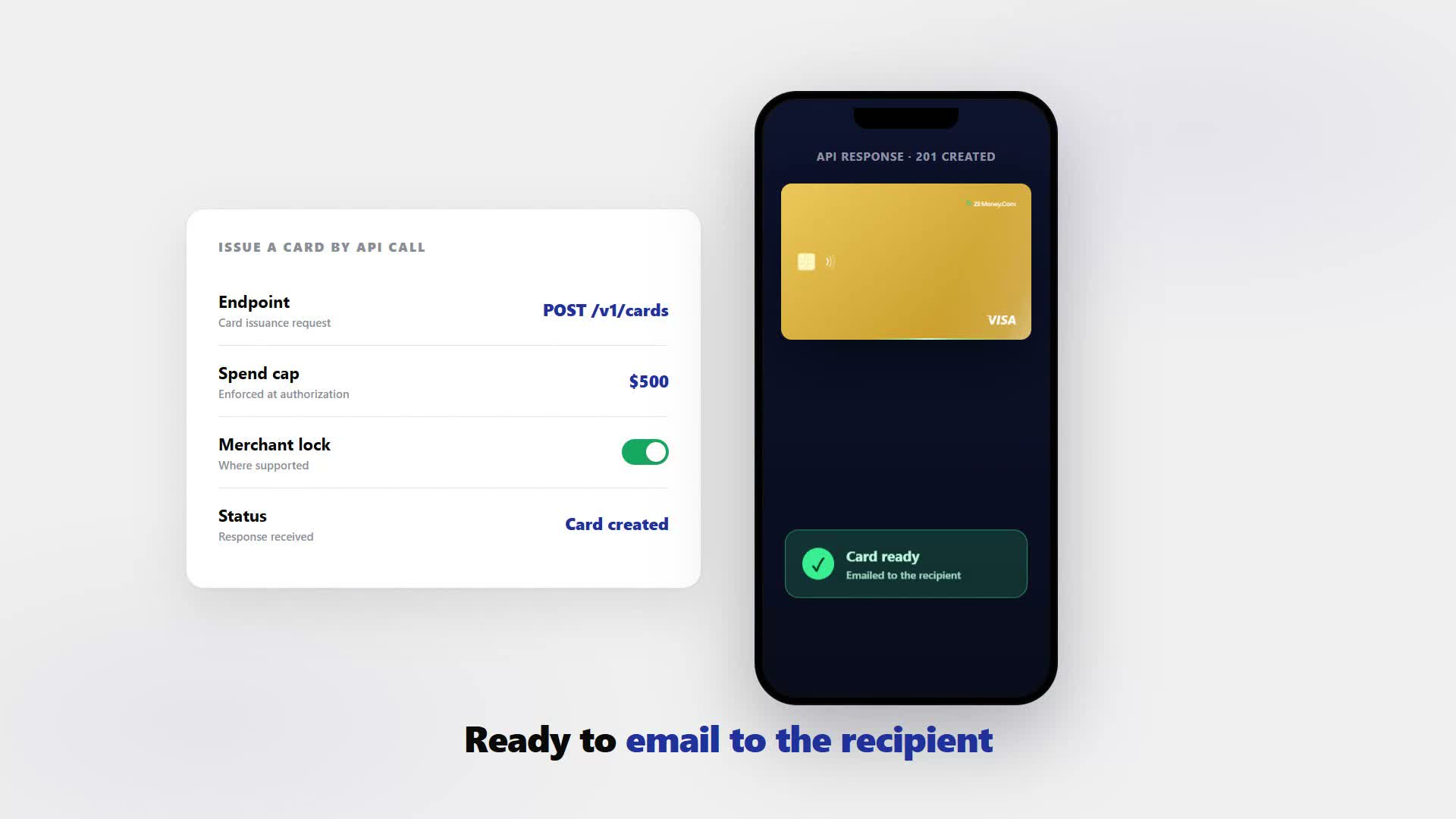
A card-issuing API call replaces a form with a function. Instead of a person opening the dashboard, typing a card name, a limit, and a lock, then clicking issue, your system sends one request carrying the same information: how much the card can spend, where it can be used where supported, and how long it should stay active. The card that comes back is the same kind a person would create by hand, ready to email to the recipient.
What changes is who does the clicking: your integration, on a trigger you define, instead of a person doing it once per vendor or contractor. That is why teams reach for the API once issuing a card stops being a one-off event and becomes a recurring step.
Why a business reaches for the API instead of the dashboard
The dashboard works well for one card at a time: a single new hire, a single vendor, a one-off travel card. It gets slower once card issuing stops being a one-off event and becomes a recurring step in a bigger process. A staffing company onboarding contractors every week, a marketplace issuing a payout card per seller, or an internal tool that already tracks vendors in its own database all run into the same problem: someone still has to remember to create the card by hand.
The API removes that manual step. Your system already knows the moment a new contractor is approved or a new vendor record is created. Wiring the card-issuing call into that same event means the card exists as soon as the condition is met, with the same spend cap and lock rules you would set by hand.
What a card-issuing request and response actually look like
The exact endpoint names, fields, and authentication details for your account live in the API documentation, since those can vary by plan. What follows is a typical shape for a card-issuing API like this one, so you know roughly what to expect before you open the real reference. A request generally needs three things: how much the card can spend, what it can be used for where supported, and how long it should last.
curl -X POST https://api.example.com/v1/cards \
  -H "Authorization: Bearer {API_TOKEN}" \
  -H "Content-Type: application/json" \
  -d '{
    "label": "Denholm Freight Partners - Vendor Card",
    "amount_limit": 500.00,
    "merchant_category": "home_improvement_supply",
    "expires_at": "2026-08-01",
    "recipient_email": "ap@denholmfreight.example"
  }'
And a typical response, returning a card identifier and the last four digits rather than the full card number, looks something like this.
{
  "id": "card_8f3ac1",
  "status": "active",
  "last4": "4482",
  "amount_limit": 500.00,
  "amount_available": 500.00,
  "merchant_category": "home_improvement_supply",
  "expires_at": "2026-08-01",
  "created_at": "2026-07-01T09:14:00Z"
}
Field names above are illustrative of a typical card-issuing API shape, not a guaranteed literal spec for your account. Confirm exact endpoints and fields in the API documentation before you build against them.
Notice what the response leaves out: a card identifier, the last four digits, and a status, the same limited detail you would see glancing at a card in the dashboard, not a full card number or a CVV rendered for display. Full card details for an authorized user typically come through a separate, more tightly secured call, not the create response itself. Check the API documentation for what your account actually returns.
Manual entry, Excel bulk upload, or API integration: which one fits your team
Most businesses do not pick one of these forever. They start manual, move to a bulk upload as volume grows, and add API access once issuing ties into another system. Here is how the three stack up.
| Method | Setup effort | Best for team size | Real-time vs batch | Who should use it |
|---|---|---|---|---|
| Manual entry | None | Small teams, a few cards a month | Real-time, one at a time | A new hire, a one-off travel card |
| Excel bulk upload | Low, fill a template | Growing teams issuing in groups | Batch, dozens at once | Payroll runs, a crew rollout |
| API integration | Higher, needs a developer | Issuing tied to another system | Real-time or batch, event-triggered | Marketplaces, staffing platforms, vendor tools |
A five-person shop issuing two cards a month has no reason to build against an API. A platform onboarding contractors daily has every reason to. See how to issue virtual cards in bulk for the spreadsheet side of that decision.
A real example: auto-issuing a vendor card the moment a new vendor is added
Denholm Freight Partners runs its subcontractor list in an internal tool its operations team already uses to approve new vendors. Before the integration, adding a subcontractor meant a second step: Priya Anand, the company's controller, had to log into Virtual Card Maker and issue a card by hand. Denholm wired its internal tool to call the card-issuing endpoint the moment a record is marked approved instead.
How the card is set
- Trigger: a subcontractor record is marked approved in Denholm's internal vendor tool
- Spend cap: $500.00, matching Denholm's standard first-job material allowance
- Lock: merchant category restricted to home-improvement supply, where supported
- Expiration: 30 days from issue, so an unused card closes itself
- Delivery: the card is emailed to the vendor's listed accounts contact automatically
What clears
- Approved A subcontractor is marked approved at 4:50 p.m. on a Friday. The card exists by day's end, capped and locked, with no one at Denholm logging in after hours.
What gets declined
- Declined A $640 charge attempt is declined for exceeding the $500 cap, the same as if Priya had issued the card by hand.
At review
Priya still sees every card issued this way in the same dashboard as the ones she creates manually, labeled by vendor name. What changes is not oversight, it is that the card no longer waits on her finding ten spare minutes.
Here's where teams get burned: cancelling a card through the API doesn't reverse a charge already in flight. A charge already pending when you cancel a card can still settle and counts against the cap. Cancelling stops new charges only, so reconcile against settled transactions before marking a vendor's spending closed.
Do API-issued cards show up in your normal dashboard?
Yes. A card created by an API request is the same kind of card as one created by clicking issue in the dashboard, and it appears in the same card list with the same controls to view balance, freeze, or cancel it. Your integration does not create a separate, hidden pool of cards; it uses the same issuing engine a person would use by hand, so whoever reviews spend has one place to look regardless of how a given card was created.
That matters most for a mixed rollout. You can keep issuing one-off cards manually while your integration handles the recurring ones, and see all of it in one dashboard instead of reconciling two separate systems at month-end.
Getting API access: sandbox, tokens, and your first call
You do not need a developer to try Virtual Card Maker, but you generally do need one to build against the API, since that means writing code that calls an endpoint rather than clicking through a screen. Most teams that adopt the API already have an internal tool, a vendor database, or an onboarding system in place and want card issuing to plug into it.
Card-issuing APIs of this kind typically offer a sandbox or test mode so your developer can build and test against fake cards before switching to production, and authentication generally works on an API key or token you generate once API access is turned on. Exact steps for token generation and any sandbox details for your account are covered in the API documentation; treat the above as the general shape to expect, not a substitute for that reference.
- Get API access. Turn on API access for your account so your developer has something to build against.
- Generate a token. Create the API key or token you'll send with each request.
- Build the request. Specify the spend cap, an optional merchant or category lock, and an expiration.
- Send the request. Call the card-issuing endpoint from your own system, in a sandbox first where offered.
- Read the response. Confirm the card identifier, last four digits, and status came back as expected.
Mistakes to avoid when automating card issuance
Skipping the sandbox and building straight against production is a common misstep. Test your integration's request shape and error handling against a sandbox or test mode first, where offered, so a bug in your own code creates a mistaken test charge instead of a real one on a live vendor's card.
Treating merchant, category, or location rules as a guarantee once you automate issuing is a mistake worth avoiding. The spend cap is deterministic. The other locks are checked at authorization using data passed through the network, so where supported treat them as a strong second layer, not a substitute for setting the cap correctly in every request.
A bug that fires on every event can issue cards no one is watching. An integration that calls the issuing endpoint on every event can create more cards, faster, than a person clicking through a dashboard. Put a daily card-count limit or an alert in front of it so a bug in your trigger logic does not spin up cards no one asked for.
People also ask
Does the API require a developer?
Is there a sandbox or test mode?
Can I still see API-issued cards in the same dashboard as manually created ones?
What authentication does the API use?
Is bulk-from-Excel still available if we don't want to build API integration?
Issue a card with these rules on it.
Set the limit, restrict the merchant, choose the active window, and send the card. Every charge lands in one dashboard, already attributed.
Build one in Card StudioNext, on the same problem.
- Basics
How do virtual cards work?
A virtual card is a card number you create on screen instead of a piece of plastic. It is funded by your prepaid wallet, capped to a limit you set, and ready to use online, in apps, or in a store through Apple or Google Wallet. Here is what the number actually is, how a payment moves from swipe to settlement, and which controls you can set on each card.
June 17, 2026 · 10 min read - Basics
Why is my virtual card being declined? Here is what to check
Your employee is at the supply store and the card is declined. You are not there. Here are the five most common reasons a virtual card fails at the point of sale, in order of likelihood, plus what to do about each one so your team is not stuck at the counter.
June 24, 2026 · 11 min read - Basics
How to shop online safely with a virtual card.
Every store you buy from keeps your card number, and some get breached. Use a dedicated virtual Visa for each store instead. Cap it to the order, restrict it to that merchant, and cancel it after the purchase, so a leaked number is already a dead number. Here is the full step-by-step.
May 28, 2026 · 8 min read
The next vendor gets its own Visa card.
Not the shared one. Its own number, its own ceiling, its own line in the ledger.